Kling 3.0 Omni Image to Video API
Kling 3.0 Omni Image to Video animates a picture you already have, keeping the subject's look while adding motion, camera moves, and sound.
Prices are temporarily unavailable — refresh the page in a minute.
What Kling 3.0 Omni Image to Video is good for
Kling 3.0 Omni Image to Video is the picture-first mode of Kuaishou's Kling 3.0 Omni model, also known as Kling O3: you supply an image and the model turns it into a moving shot. It holds on to the details of characters, products, and scenes as the camera moves, and it can add dialogue and ambient sound in the same pass. It suits product stills, key art, and portraits that need motion.
- Turning a product still into a short shot with slow camera movement
- Animating key art or posters while keeping characters recognizable
- Giving a portrait natural movement, spoken lines, and room sound
- Adding ambient sound, like water or crowd noise, to an animated image
Kling 3.0 Omni Image to Video pricing
| Option | Price, USD | Video Blade tokens |
|---|---|---|
| Without sound · 720p | tokens | |
| Without sound · 1080p | tokens | |
| With sound · 720p | tokens | |
| With sound · 1080p | tokens | |
| With sound · 4K | tokens | |
| Without sound · 4K | tokens |
Prices are per second and live from our price list. Tokens are held when a run starts and settled to what was actually used; a failed run costs nothing.
Kling 3.0 Omni Image to Video is coming soon to Video Blade
It is listed with its live price so you can compare it. You can't order it through Video Blade yet — these video models do a similar job today.

MiniMax H3 Image to Video
8-second clip from · per second
Seedance 2.0
Text to videoImage to video 8-second clip from · per second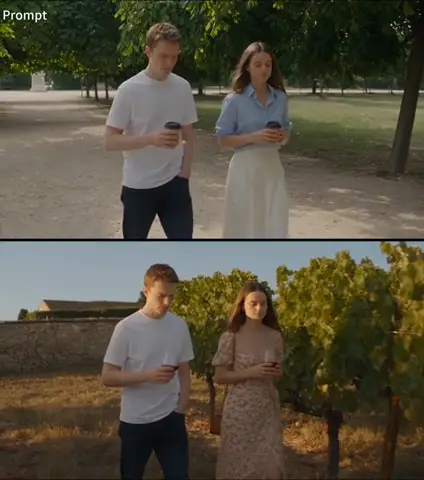
Seedance 2.5
Text to videoImage to video 8-second clip from · per second
Wan 3.0 Video
Text to videoImage to video 8-second clip from · per secondKling 3.0 Omni Image to Video FAQ
How much does Kling 3.0 Omni Image to Video cost?
8-second clip from · per second. Prices are live from our price list, and you see the exact price before anything runs.
How is Kling 3.0 Omni Image to Video different from the Text to Video and Reference to Video modes?
Image to Video starts from a picture you already have and puts it in motion. Text to Video builds the whole scene from a written description, while Reference to Video uses several images or short clips to keep a character or product consistent across new scenes. Choose Image to Video when the frame itself is already right.
Will Kling 3.0 Omni keep the details of my original image?
It is built to. Kling 3.0 Omni reads visual references closely, so faces, products, and objects from your picture stay recognizable as shots and camera angles change, even in scenes with several characters. That makes it a good fit for product stills and character art that must not drift during the clip.
Can I use Kling 3.0 Omni Image to Video on Video Blade today?
Not yet. Kling 3.0 Omni Image to Video is listed with its live price so you can compare it with the models you can use today; ordering it through Video Blade is coming soon.
How is Kling 3.0 Omni Image to Video billed?
By the second of video: the rate depends on the option you pick (mode, resolution, sound), and a clip costs the rate times its length. Tokens are held when a run starts and settled to what was actually used; a failed run costs nothing. Current prices are shown on this page.
Kling 3.0 Omni Image to Video in the Video Blade API
kling-v3-omni-image-to-videoOrdering this model through the API is coming soon.
Similar models
MiniMax H3 Image to Video
8-second clip from · per second
Seedance 2.0
Text to videoImage to video 8-second clip from · per second
Seedance 2.5
Text to videoImage to video 8-second clip from · per second