Wan 3.0 Video API
Alibaba's Wan 3.0 Video makes longer, story-driven clips from a prompt or keyframes, with speech, music and ambience built in.
Prices are temporarily unavailable — refresh the page in a minute.

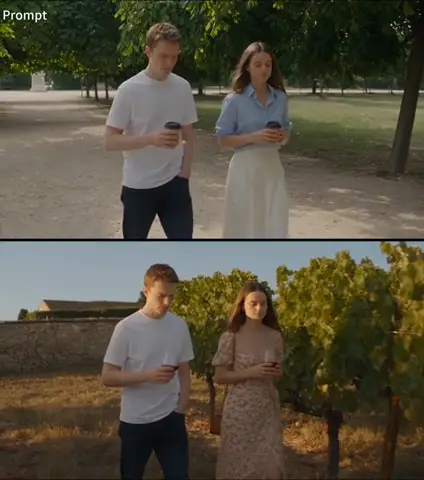
 ↑ Result above
What Wan 3.0 Video is good for
Wan 3.0 Video is Alibaba's all-in-one model for longer, story-driven clips. It accepts up to 10 reference images alongside text, video, audio, and keyframes, and keeps characters, clothing, props, and settings close to their references as scenes change; it can also edit or extend existing footage. Generated speech, music, and ambient sound follow the action, which suits branded stories, fashion pieces, and narrative shorts.
- Longer story clips with room for setup, action, and a payoff
- Fashion and product clips that start from your own photo
- Sequences anchored by opening and closing keyframes
- Story clips with speech, music and ambient sound generated together
Wan 3.0 Video pricing
| Option | Price, USD | Video Blade tokens |
|---|---|---|
| 480p | tokens | |
| 720p | tokens | |
| 1080p | tokens |
Prices are per second and live from our price list. Tokens are held when a run starts and settled to what was actually used; a failed run costs nothing.
Use Wan 3.0 Video from your AI agent
- Create an account on Video Blade and pick a plan — from .
- Copy the agent link from your dashboard into Claude Code, Codex or Cursor.
- Say the phrase below — the agent shows the price, runs Wan 3.0 Video and saves the result.
Create an 8-second 16:9 1080p clip with Wan 3.0 Video from my lobby photo as the first frame: guests check in at a sunlit hotel, the camera glides toward the pool, soft lounge music.
This request ≈ · 1080p · 8 s
Wan 3.0 Video FAQ
How much does Wan 3.0 Video cost?
8-second clip from · per second. Prices are live from our price list, and you see the exact price before anything runs.
What kinds of input can Wan 3.0 Video work from?
Besides a text prompt, Wan 3.0 Video can take up to 10 reference images, video clips that show motion or camera style, audio for voice and rhythm, and keyframes that set how a sequence opens or ends. It can also draw on briefs, presentations, PDFs, and webpages as source material.
How closely does Wan 3.0 Video stick to its references?
Holding references steady is a core focus. Characters, clothing, props, locations, audio cues, and even the spatial relationships between objects are kept close to the supplied material as actions and scenes change, which matters for recurring characters, product details, and brand assets that cannot drift.
How do I use Wan 3.0 Video from my AI agent?
Create a Video Blade account, paste the agent link from your dashboard into Claude Code, Codex or Cursor, and ask: “Create an 8-second 16:9 1080p clip with Wan 3.0 Video from my lobby photo as the first frame: guests check in at a sunlit hotel, the camera glides toward the pool, soft lounge music.” The agent runs Wan 3.0 Video (model id wan-3-0-video), shows the price before it starts and saves the result to your dashboard.
How is Wan 3.0 Video billed?
By the second of video: the rate depends on the option you pick (mode, resolution, sound), and a clip costs the rate times its length. Tokens are held when a run starts and settled to what was actually used; a failed run costs nothing. Current prices are shown on this page.
What settings does Wan 3.0 Video support?
Resolution: 480p, 720p or 1080p. Aspect ratio: adaptive, 16:9, 4:3, 1:1, 3:4 or 9:16.
Wan 3.0 Video in the Video Blade API
wan-3-0-videoYour agent sends this model id with the order; the result lands in the project, and every request is in your generation log with its price.
Through Video Blade a clip is ordered from a prompt with an optional start frame (and an end frame where the model takes one), in the lengths and resolutions the model offers.
POST /api/v1/projects/{id}/video-sessions/{item_id}/generate
{"prompt": "…", "model": "wan-3-0-video", "duration": …, "start_url": "https://…"}
Similar models
Seedance 2.5
Text to videoImage to video 8-second clip from · per second
Wan 3.0 Video Prime
Text to videoImage to video 8-second clip from · per second
Seedance 2.0
Text to videoImage to video 8-second clip from · per second